
این راهنما توضیح میدهد چطور با استفاده از یک UI script سفارشی، قابلیتهای testRigor را مستقیماً در TestRail فعال کنید. بعد از پیکربندی، میتوانید بدون خروج از TestRail از گزینههای testRigor استفاده کنید و test suiteها، test caseها و test runها را با اجرای مبتنی بر AI خودکار کنید.
با این integration میتوانید:
- test suiteهای TestRail را به suiteهای جدید یا موجود در testRigor وصل کنید
- test caseهای TestRail را به caseهای جدید یا موجود در testRigor وصل کنید
- تستهای خودکار testRigor را از داخل TestRail اجرا کنید
پیشنیازها #
قبل از فعال کردن integration، مطمئن شوید این موارد را دارید:
- یک نمونه TestRail
- یک حساب testRigor
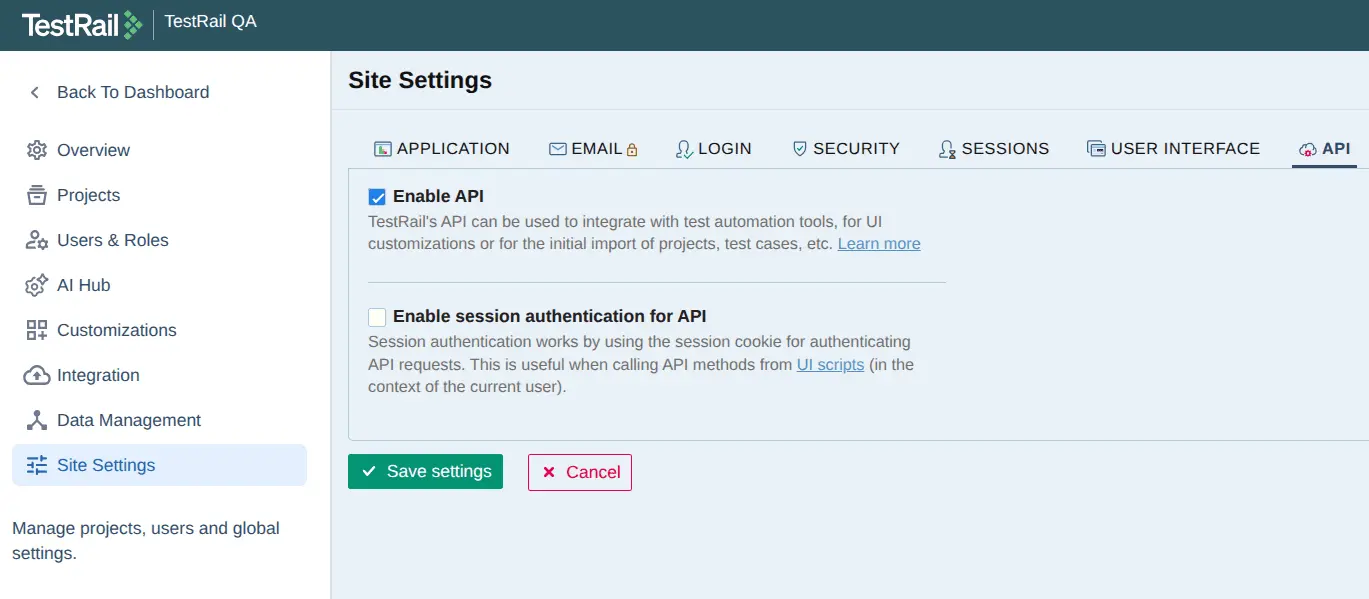
- دسترسی API در TestRail فعال باشد.
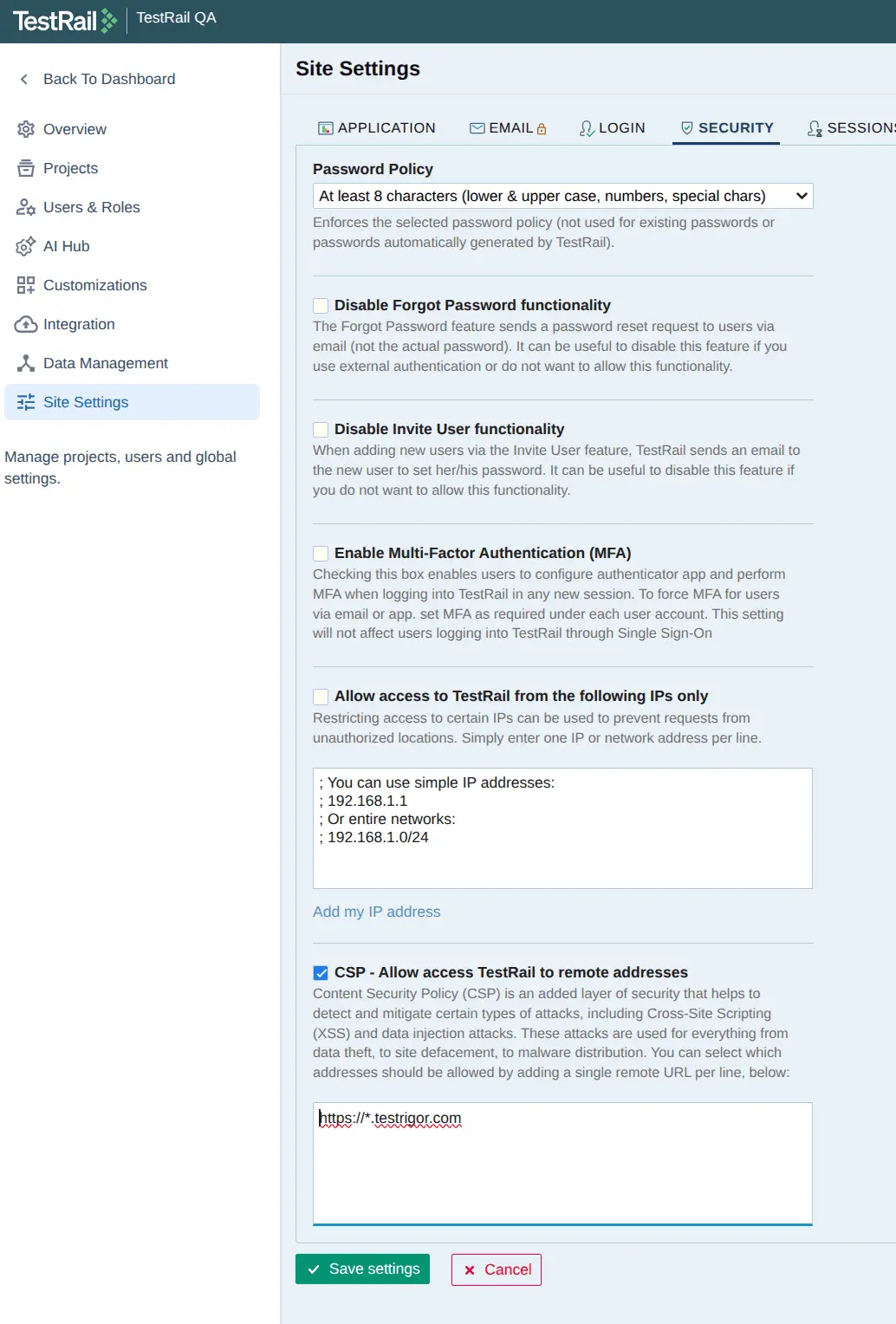
- دو URL زیر از testRigor به لیست CSP اضافه شده باشند:
- مجوزهای لازم در project برای ساخت و ویرایش test caseها و test runها در TestRail.
مراحل configuration #
- وارد TestRail شوید
- به بخش Admin بروید

- به Site Settings → API → Enable API بروید و مطمئن شوید checkbox آن فعال است

- روی «Save settings» کلیک کنید
- به Site Settings → Security بروید
- checkbox مربوط به «CSP – Allow access TestRail to remote addresses» را فعال کنید
- عبارت «https://app.testrigor.com» و «https://cdn.testrigor.com” را در فیلد CSP وارد کنید.

- روی «Save settings» کلیک کنید
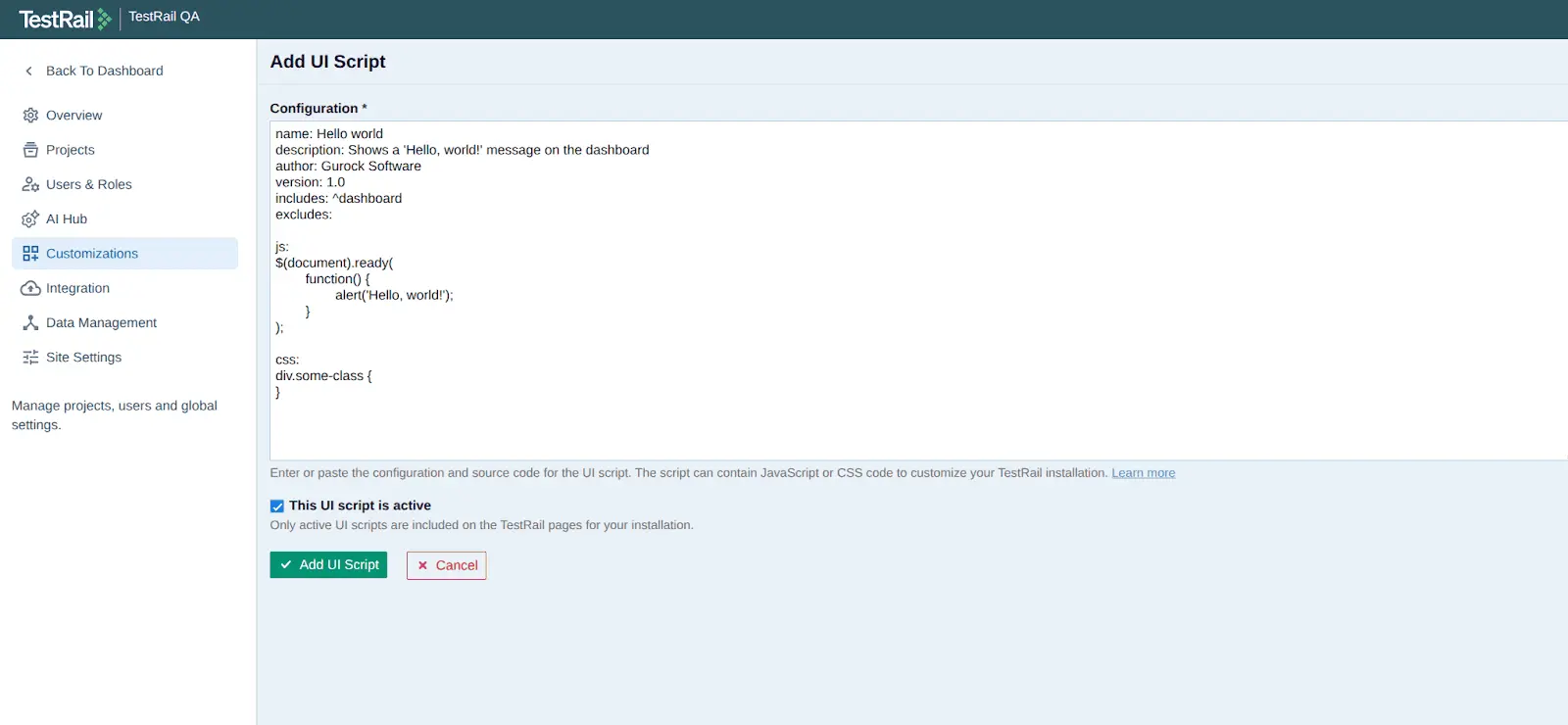
- به Customizations → UI Scripts بروید
- روی «Add UI Script» کلیک کنید تا صفحه زیر را ببینید

-
محتوای text area را با این مقدار جایگزین کنید:
name: testRigor UI Integration description: Shows testRigor options to automate suites, cases and runs. author: testRigor version: 1.0 includes: . excludes: js: $(document).ready( function() { var domain = "https://cdn.testrigor.com"; var mjs = document.createElement("script"); mjs.type = "text/javascript"; mjs.src = domain + "/testrail-ui-plugin.min.js"; var mcss = document.createElement('link'); mcss.rel = "stylesheet"; mcss.type = "text/css"; mcss.href = domain + "/testrail-ui-plugin.min.css"; $("head").append(mcss, mjs); } ); - checkbox مربوط به «This UI script is active» را فعال کنید
- روی «Add UI Script» کلیک کنید